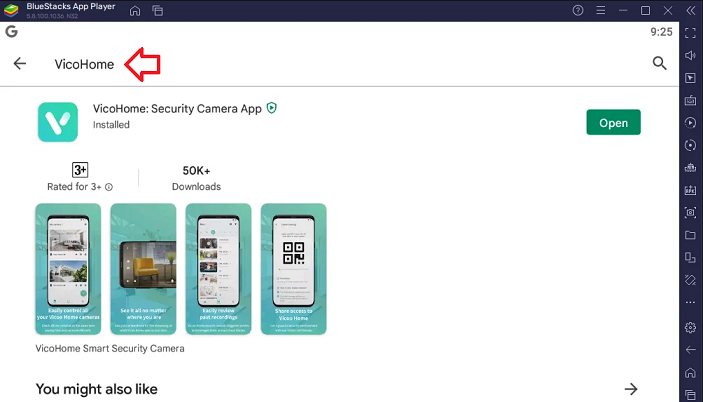
The VicoHome app is a feature-rich home security and monitoring solution designed for modern lifestyles. With its intuitive interface, real-time alerts, and seamless connectivity to smart cameras, the app helps you keep an eye on your property from anywhere. If you’re an iOS user looking to enhance your home security setup, this guide will walk you through how to get and install the VicoHome app on your iPhone & iPad device.
What is VicoHome App?
The VicoHome app is a versatile home security tool that pairs with compatible smart cameras to deliver real-time monitoring, motion detection alerts, and video playback. It’s perfect for individuals who want a cost-effective yet reliable way to secure their homes, offices, or other properties. The app is available on the App Store, making it easy to download and use on iPhone and iPad devices.
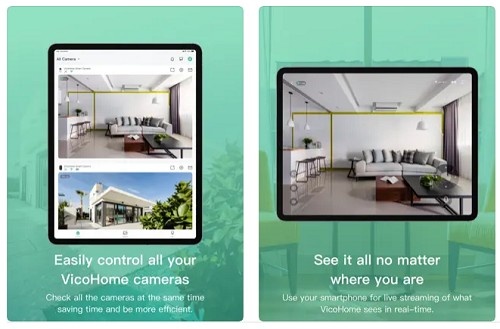
Live Video Streaming
View high-quality live footage of your property directly from your iPhone or iPad.
Motion Detection Alerts
Get instant notifications whenever the app detects unusual activity, ensuring you’re always informed.
Two-Way Audio
Communicate in real-time with visitors or deter intruders using the app's two-way audio feature.
Cloud & Local Storage
Choose between secure cloud storage or saving recordings on a local device for added flexibility.
User-Friendly Interface
Designed for iOS, the app is easy to navigate and highly responsive.
Multi-Device Support
Monitor multiple cameras simultaneously for comprehensive security coverage.
Also Read: Know more about VicoHome AI Bird Feeder Camera
Follow these simple steps to download and install the VicoHome app on your iOS device:
Step 1: Check Device Compatibility
Before installing, ensure your device meets the following requirements:
iOS Version: The VicoHome app typically supports devices running iOS 11.0 or later.
Free Storage: Make sure your iPhone or iPad has enough free storage space for the app and recorded videos.
Step 2: Open the App Store
Unlock your iPhone or iPad and go to the App Store.
Tap on the search icon (magnifying glass) at the bottom of the screen.
Step 3: Search for VicoHome
In the search bar, type VicoHome and hit search.
Look for the official app in the search results. You can identify it by its logo and developer information.
Step 4: Download the App
Tap the Get button next to the VicoHome app.
Authenticate the download using Face ID, Touch ID, or your Apple ID password.
Wait for the app to download and install.
Step 5: Launch the App
Once the installation is complete, follow these steps:
Tap the VicoHome icon on your home screen to open the app from iPhone or iPad.
Sign in to your account or create a new one if you don’t already have an account.
Grant necessary permissions, such as access to notifications, microphone, and camera, for the app to function properly.
Step 6: Set Up Your Devices
To start using the app:
Go to the Device Setup section within the app.
Follow the instructions to pair your smart camera with the app. This usually involves scanning a QR code on the camera or entering a device ID.
Configure your preferences, including motion sensitivity, notification settings, and storage options.
Must Read: Get VicoHome App on your PC or Laptop
Issue 1: Can’t Find the App on the App Store
Ensure your App Store region is set correctly. If the app isn’t available in your region, consider changing your Apple ID region temporarily.
Issue 2: Download Fails or Stalls
Check your internet connection and ensure your device has sufficient storage space.
Restart your iPhone or iPad and try downloading again.
Issue 3: Device Connection Problems
Verify that your camera and iOS device are connected to the same Wi-Fi network.
Restart both the camera and the app for a fresh connection.
Ease of Use: The app’s iOS-optimized interface ensures a smooth user experience.
Portability: Monitor your property from your iPhone or iPad anytime, anywhere.
Enhanced Security: With instant alerts and real-time monitoring, you can respond quickly to potential threats.
Reliable Performance: The app is designed to work seamlessly with iOS devices, ensuring consistent performance.
Conclusion
The VicoHome app for iPhone and iPad offers a comprehensive solution for home security. With its easy download and installation process, you’ll be up and running in minutes. The app's advanced features, including real-time monitoring, motion detection, and two-way audio, make it a must-have for anyone looking to safeguard their property.
By following the steps outlined in this guide, you can easily download, install, and set up the VicoHome app on your iOS device. Take the first step towards smarter home security today and enjoy peace of mind knowing your home is always protected!